Free paycheck budget template · Excel workbook
Free Paycheck Budget Template
Stop wondering if your next paycheck will cover your bills.
Know where your money needs to go before you spend it. Plan your bills around payday, spot cash shortages early and see how much to set aside. This free paycheck budget spreadsheet carries your balance from one pay period to the next.
Download Free Excel Template ↓
6 worksheets · Plan 12 months ahead · Weekly, biweekly, twice-monthly or monthly pay.


See your paydays, cash left and any warnings in one place.
The $250 timing trap
Why a monthly budget can still leave you short
Ever had rent due before payday? Your car payment and utility bills may also be due around the same time. Even if you earn enough over the month, you can still run short before your next paycheck.
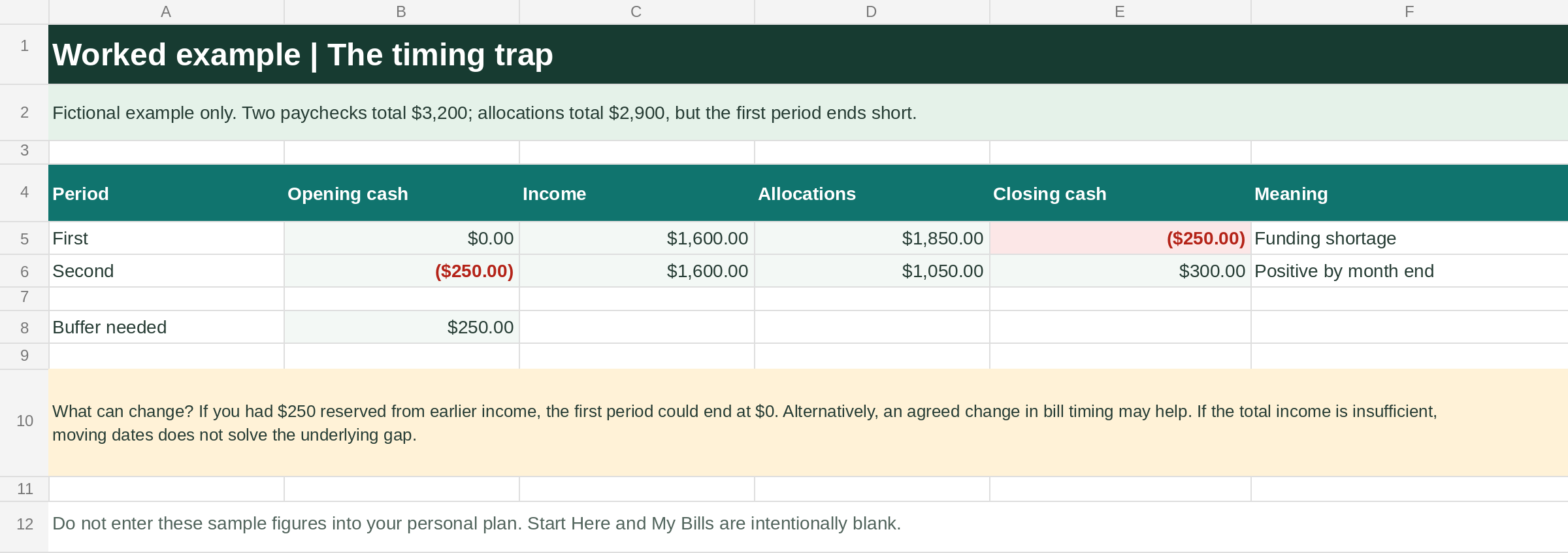
The timing trap · fictional example
You have $300 left at the end of the month, but you are $250 short in the first pay period. You would need an extra $250 at the start to cover that gap.
| Pay period | Starting cash | Income | Money set aside | Cash left |
|---|---|---|---|---|
| First | $0 | $1,600 | $1,850 | −$250 |
| Second | −$250 | $1,600 | $1,050 | $300 |
Example only: You earn $3,200 and set aside $2,900 for bills. You still need $250 in extra cash at the start to avoid ending the first pay period short.
Setting money aside earlier or asking to change a bill’s due date may help. But if you do not earn enough to cover your bills, changing dates alone will not solve the problem.
What is inside the paycheck budget spreadsheet?
Start Here
Enter your first payday, how often you get paid, your usual take-home pay and any cash you have not already set aside. Fill in the blue cells.
My Paychecks
See your paydays for the next 12 months. Change dates as needed and enter what you expect to earn or actually receive.
My Bills
Add each bill separately. Enter its due date and choose an earlier date if you need to set money aside before the bill is due.
Paycheck Budget
See what you start with, what comes in, what you set aside and what is left after each pay period. Record actual amounts too. Any shortage carries into the next period.
Dashboard
See your paydays, totals, warnings, lowest end-of-period balance and how much extra cash you may need at the start. Spot months with three paychecks.
Worked Example
Follow a simple example of how you can have money left at month end but still run short before payday.
Choose weekly, biweekly (every two weeks), twice a month (1st and 15th), or monthly pay. You can change payday dates as long as they stay in order.
Preview the actual workbook
See what you get before you download. The setup sheets are ready for your own numbers. The worked example uses sample figures.
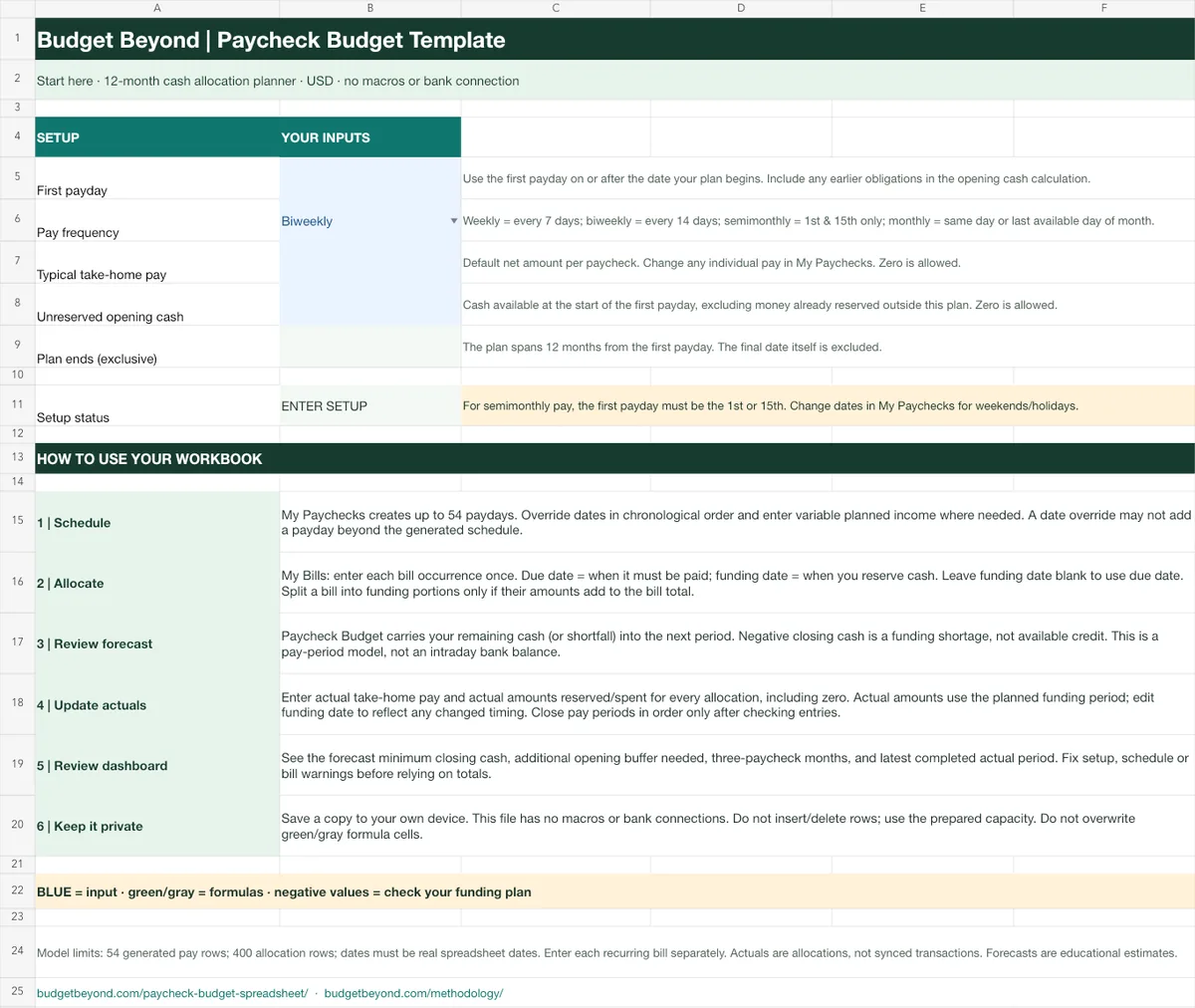
Fill in the blue cells with your first payday, usual take-home pay and any available cash. The workbook creates your payday schedule.

See how your pay and bills affect the money left after each pay period. Shortages carry into the next pay period.
How to budget by paycheck
The CFPB Your Money, Your Goals toolkit also offers bill calendars and cash-flow worksheets if you prefer to plan on paper.
1. Use take-home pay
Use the money you expect to receive after taxes and other deductions. If your pay changes, enter a careful estimate for each payday.
2. List bills by due date
Add rent or mortgage payments, utilities, minimum debt payments, insurance, transport and other costs. Enter each bill separately, even if it repeats every month. The spreadsheet does not add repeat bills for you.
3. Decide when to set money aside
Use the bill’s due date if that pay period can cover it. If you need to save for it earlier, choose an earlier payday as the funding date. To split a bill across paychecks, use a separate row for each share. Make sure the amounts add up to the full bill.
4. Check how much money is left
If the balance is below zero, your plan shows a cash shortage. Check your numbers, starting cash and dates. The spreadsheet does not show your exact bank balance or money you can borrow.
5. Record what really happened
Enter what you actually received and set aside, including zero amounts. Mark each pay period complete in order, only after filling in all actual amounts. You need to enter these yourself.
Weekly, biweekly and twice-monthly budgeting
Weekly pay usually means 52 paydays a year. Use this workbook as a biweekly budget template if you get paid every two weeks. That usually means 26 paydays a year, with some months having three. Twice-monthly (semimonthly) pay uses two fixed dates, the 1st and 15th in this template. Monthly pay means one payday a month. If a holiday changes your payday, update the date and keep all paydays in order.
Getting three paychecks this month? Check upcoming bills and money you need to set aside before treating the third paycheck as extra spending money. For other needs, compare our Paycheck Bill Planner, Paycheck Cash-Flow Planner and Safe-to-Spend Calculator.
Choose the right Budget Beyond tool
Need help with another part of your budget? Choose a free tool below.



Frequently asked questions about the paycheck budget template
Is this different from a monthly budget?
Yes. A monthly budget shows your income and costs for the month. This template shows which pay periods need to cover your bills and how much cash you may have left after each one.
Can I use the workbook for weekly, biweekly or twice-monthly pay?
Yes. Choose weekly, biweekly (every two weeks), twice a month (1st and 15th), or monthly. You can change payday dates for holidays as long as they stay in order.
Does it connect to my bank or repeat bills automatically?
No. You enter your own income and bills, including repeat bills. There is no bank connection or automatic import.
Can I use it for irregular income?
Yes. Enter the amount you expect on each payday, then update it when you get paid. Avoid spending money you have not received yet.
What if a paycheck cannot cover all bills?
Check for missing entries and any cash you already have available. If you can afford to set money aside earlier, update your plan. If you still cannot cover essential bills, contact your providers early or seek help from a qualified nonprofit credit counselor. Changing dates will not fix an ongoing income shortage.
Will it tell me my exact bank balance on a bill’s due date?
No. It estimates how much cash you may have left after each pay period. It does not track pending payments, the exact order of transactions or every change to your bank balance.
Will it work in Google Sheets or Microsoft Excel?
The download is an Excel (.xlsx) file. We tested the sample figures after opening a copy in Google Sheets and got the same results. We have not separately tested it in the Microsoft Excel desktop app. Check the formulas, dates and warnings in your chosen app before using it for your own budget.
Give your next paycheck a plan.
Download your free template, add your paydays and bills, and see what you need to set aside before you spend.
Download the free paycheck budget workbook
Free to download. No email signup or bank connection required.
For planning and education only. Results depend on the dates and amounts you enter. They are estimates, not guarantees or personal financial advice. Read the Editorial Policy, Methodology and all tools.