Payday feels like progress. Then the bills turn up.
Your paycheck arrives and, for a moment, there’s room to breathe. Maybe you can finally send a little extra to your credit card. Then you remember rent, groceries, and the days still left until you’re paid again.
This paycheck cash flow planner puts your next 3–6 paychecks and bills in date order. You can see how low your balance might fall before deciding what to pay.
Map out my next paychecksUse your own numbers. No bank login, no account, and no made-up amounts filled in.
 By Harry P. · Founder & Editor
Start with the dates, not a guess
You don’t need a spreadsheet. Enter what is in your account, the dates and amounts of your next paychecks, and the bills still to come. The planner then puts everything in date order.
1. Your available bank balance (not your credit-card limit).
2. The dates and take-home amounts of your next 3–6 paychecks.
3. Bills and everyday costs due before the forecast ends, including your usual credit-card minimum.
There are no pre-filled dollar amounts. Fill in your own figures; the example amounts elsewhere on this page are illustrations only.
Starting the calculator… If this message stays here and no paycheck rows appear, the page may be blocking its JavaScript.
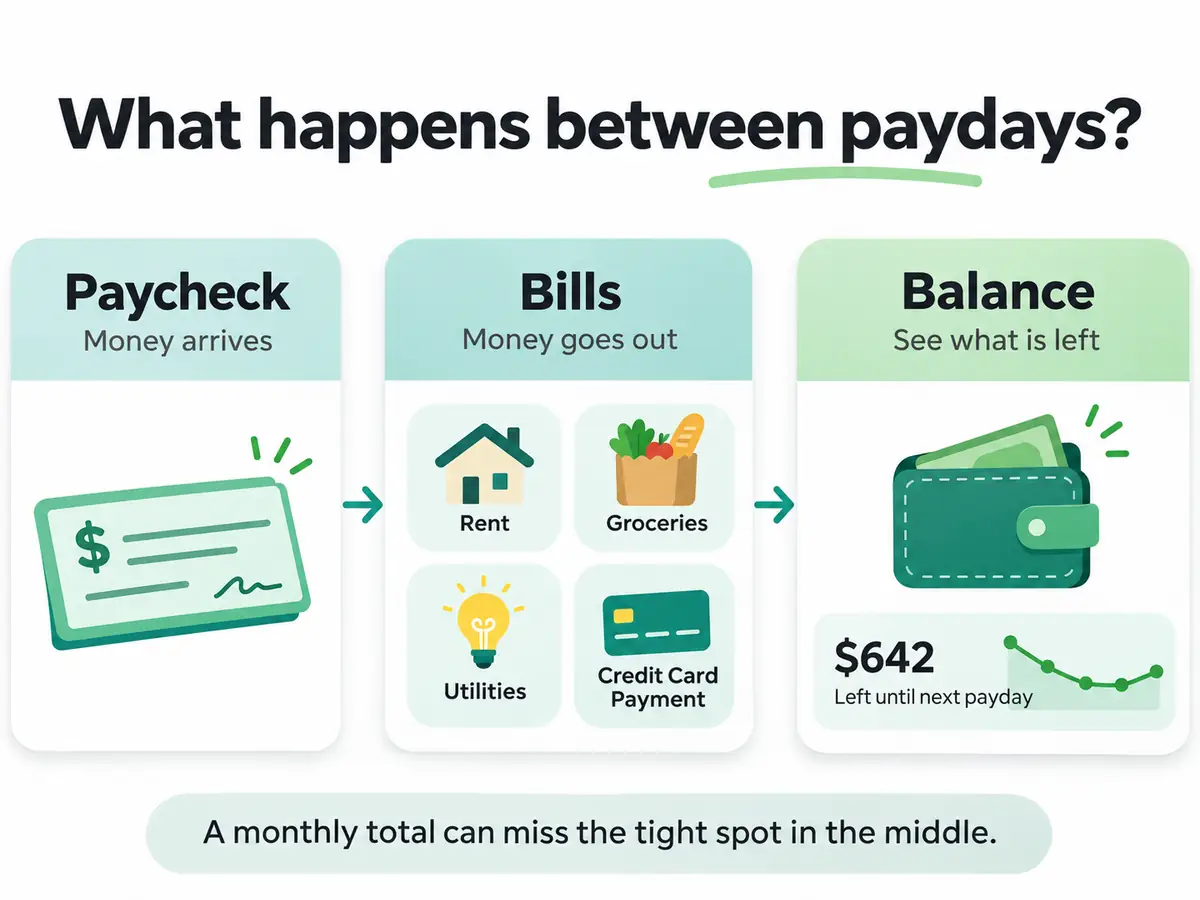
Here’s what happens between paydays
See every deposit and bill by date
This is a forecast, not your bank balance. It can’t predict surprise expenses, posting delays, interest charges or income changes.
One question is whether you have the cash. The next is whether paying more could meaningfully shorten your debt payoff. Our minimum-payment calculator compares a shrinking minimum with a fixed monthly payment.
See the difference in payoff timeThere’s money in the account. But how much is already spoken for?
Imagine it’s Friday, just after payday, and you have $950 in checking. Rent takes $700 on Monday. The electric bill is $110 on Wednesday. Groceries cost another $100. That leaves $40 before the next paycheck. Send an extra $150 to the credit card on Friday, and the balance would fall to negative $110 before you’re paid again.
That’s an illustrative example, not money prefilled into the calculator. The lesson isn’t that you should never pay extra—it’s that the dates change the picture.
Why a cash flow forecast can catch the squeeze
You might be doing the math correctly for the whole month and still have a difficult Tuesday. When bills fall between paydays, a monthly leftover number doesn’t show how close you’ll get to zero along the way. A paycheck cash flow forecast follows the dates you enter and shows your lowest projected balance, not just the ending number.

Five things worth checking before you pay more
- Money on hand: what’s available for bills today, not the limit on a credit card.
- Next 3–6 paychecks: dates and take-home amounts, even if they change from week to week.
- Bills and everyday costs: rent, utilities, groceries, transport, subscriptions, debt minimums and irregular expenses.
- Money you want to keep aside: you choose the amount, even if that amount is zero.
- Possible extra card payment: try an amount after each payday, then compare it with paying nothing extra.
If the forecast dips below zero
If the balance falls below $0, the payments you listed come due before there’s enough cash to cover them. If it stays positive but drops below the amount you wanted to keep aside, you’re using some of that cushion. Neither result tells you what to do; it tells you which dates and expenses deserve another look.
If even the required credit-card minimum looks difficult to cover, contact the card issuer promptly to ask about your options. Don’t rely on a forecast as a guarantee that a payment will clear. The Consumer Financial Protection Bureau explains what to do if you cannot pay your credit-card bills.
Want to keep a longer-term plan you can update each payday? Download our free paycheck budget spreadsheet for a 12-month view.
What this paycheck cash flow planner actually counts
The calculation starts with the cash amount you entered. Each paycheck adds to it; each bill subtracts from it; an optional extra card payment subtracts after each listed payday. Repeating bills are projected until the end date you choose. Your cash flow forecast uses end-of-day balances for each date and calculates in cents. The transaction-by-transaction breakdown still lets you inspect the order within each day.
When the tool shows a possible upper limit for repeated extra payments, treat it as a math result—not a safe amount or a recommendation. It only knows the dates, expenses and buffer you entered. Leave something out, and the picture changes.
Frequently asked questions
Why would I run short if I earn enough over the month?
Because bills don’t wait for the month to end. Rent might be due on Tuesday, but the next paycheck lands Friday. This planner shows those days separately.
Will this tell me the exact extra payment I can afford?
It lets you try a payment amount and see how your projected balance changes. It can also show a mathematical ceiling based on your entries, but it can’t account for everything that might happen or tell you what’s right for your situation.
What if I’m paid on different dates or earn different amounts?
Enter each expected date and take-home amount separately. If you’re paid twice a month or work irregular hours, typing the dates yourself is usually more reliable than using the date helper.
Where do the numbers I enter go?
The calculation happens in your browser. This tool doesn’t submit your dollar amounts to Budget Beyond or save them to an account. If you download the CSV, the file goes to your own device.
Now find out what paying more might change.
You’ve seen how a payment might affect the cash you have between paydays. Now look at the other side: how paying only the minimum might affect your payoff time and interest. The Credit Card Minimum Payment Calculator lets you compare those paths. Use the Credit Card Interest Calculator to see whether paying earlier could reduce this month’s interest. If a paycheck arrives after your card due date, use the credit card late fee calculator to compare the impact of meeting the minimum on time.
Facing a gap before payday? Before using your credit card to withdraw cash, compare the fee, interest and cash needed on your repayment date with the cash advance calculator.
Want to assign bills to particular paychecks instead? Try the Paycheck Bill Planner. For just the stretch until your next payday, use the Safe-to-Spend Calculator.
Budget Beyond provides educational estimates, not personal financial advice. No account, bank connection or external calculator service is required. This script does not send the amounts you enter to Budget Beyond; results are not saved after you close or reload the page. Learn more in our methodology and disclaimer.